How to Invoice for Hourly Work: From Timesheet to Paid Invoice
Doing the work is only half of getting paid for it. Between a week of tracked hours and money in your account sits one document, and the quality of that document decides how smoothly the rest goes. A clear, complete hourly invoice gets approved and paid; a vague one gets queried, parked in someone's inbox, and paid whenever the query gets resolved.
Nearly all of that difference comes down to one thing: whether the invoice was built from a real time record or assembled from memory the night before. It's written with UK freelancers and contractors in mind, though most of it applies anywhere.
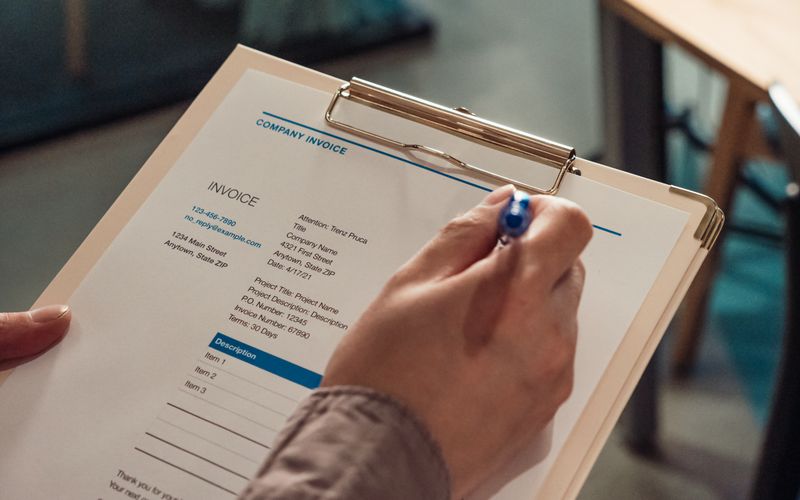
What an hourly invoice must include
An invoice for hours worked is a normal invoice with one extra duty: showing the maths. Every hourly invoice should carry:
- The word "Invoice" and a unique, sequential invoice number.
- The issue date and the payment due date.
- Your name or business name, address and contact details (plus your company number if you're a limited company).
- The client's name and address, and their purchase order number if they use one.
- One line per piece of work: the project, the period covered, the hours, the hourly rate, and the line total.
- The subtotal, VAT if you're VAT-registered (with your VAT number and the rate applied), and the final total.
- Payment terms and exactly how to pay: bank account name, sort code and account number, or whatever method you accept.
The "hours × rate" arithmetic should be visible on the invoice itself. When a client can check each line in their head, approval is quick; when they can't, the invoice waits while someone asks.
Before you invoice: get the timesheet right
Every number on an hourly invoice comes from your time records, so the invoice is only as good as the timesheet behind it. Three things matter before you bill:
- The hours are complete and accurate, which they will be if you've been recording time as you go rather than reconstructing it.
- Only billable time makes the cut. Non-billable hours stay on the timesheet, not the invoice.
- The record is closed. Invoice from submitted, locked timesheets, not from a draft that might still change. If a client queries an invoice in three months, you want the underlying record to look exactly as it did the day you billed.
How to invoice for hourly work in seven steps
1. Close off the billing period
Pick the period the invoice covers, usually a calendar month or a set of weeks, and finish the time records for it first. Submit your timesheets so the hours are final. Invoicing from a moving target is how the invoice and the records end up disagreeing.
2. Pull together the billable hours
Total the billable time for the period, per project and per rate. This is pure clerical work, which is exactly why software should do it: in VibaCloud, the Billing screen's billable hours report totals your submitted hours by client and period, so this step is a filter rather than an evening with a calculator.
3. Group the lines sensibly
One line per project (or per rate, if a project has more than one) is the sweet spot. Forty individual entries make an invoice unreadable; one opaque "consulting services" line makes it unauditable. "Website redesign, 1–30 June, 22 hours @ £55" tells the client everything they need to approve it. If they want the detail behind a line, send the timesheet summary alongside.
4. Number it and date it
Give the invoice the next number in an unbroken sequence (INV-0001, INV-0002 and so on), an issue date, and a due date calculated from your payment terms. Sequential numbering is what HMRC expects, and gaps or duplicates cause questions at exactly the wrong time.
5. Handle VAT correctly
If you're VAT-registered, decide whether your quoted rates are VAT-exclusive (VAT is added on top of the subtotal, the norm for business-to-business work) or VAT-inclusive (the total already contains VAT and the invoice discloses how much). Either is fine; ambiguity is not. State the basis, the rate and the VAT amount on the invoice. If you're not registered, don't mention VAT at all.
6. State the terms and how to pay
Write the due date as a date, not just "net 30", and put your bank details on the invoice itself. Every step you remove between "client opens invoice" and "client pays invoice" shortens the wait. If your terms include late-payment interest, say so here, briefly and factually.
7. Send it properly, then track it
Send the invoice as a PDF, to the person who actually processes payments, with the invoice number in the email subject. Then track its status: sent, paid, or overdue. An invoice that falls off your radar after sending is an invoice that gets paid late, because nobody chases what nobody's watching. A polite nudge on the due date resolves most late payments on its own.
Payment terms: what's normal and what's enforceable
Thirty days is the traditional default, but 14 days is increasingly common for freelancers and small suppliers, and few clients blink at it. Shorter terms don't guarantee faster payment, but they start the clock sooner and make lateness visible earlier. Whatever you choose, put it on the invoice and in your contract, and keep it consistent.
In the UK, the law backs you up more than most freelancers realise. Under the Late Payment of Commercial Debts (Interest) Act, business customers who pay late owe you statutory interest, 8% a year plus the Bank of England base rate, and a fixed compensation amount per invoice (£40, £70 or £100 depending on the invoice's size). You don't have to charge any of it, and often a reminder is the better first move, but knowing the fallback exists changes the tone of the conversation. Businesses that pay on time won't care that your invoice mentions it, and businesses that don't pay on time are the reason it's there.
Common invoicing mistakes to avoid
- Invoicing from memory instead of records. If the hours weren't tracked, the invoice is an estimate wearing a suit.
- Vague line descriptions. "Consulting, 40 hours" invites a query; a project name and period pre-answers it.
- Retyping numbers between timesheet, spreadsheet and invoice. Every retype is a chance to introduce the error a client will find.
- Missing or duplicated invoice numbers, which turn a five-minute bookkeeping job into an afternoon.
- No due date, or terms that appear nowhere except your hopes.
- Editing an invoice after it's been sent. If something's wrong, cancel it and issue a corrected one; a record that changes after the fact isn't a record.
- Never chasing. Most late payment isn't malice, it's inertia, and one reminder email usually cures it.
What good invoicing software should do for you
You can run all of the above from documents and a spreadsheet, and plenty of people do. But the whole chain, total the hours, group the lines, mint the next number, work out the VAT, render the PDF, track the status, is mechanical, which makes it exactly the kind of work software should absorb. Whatever tool you use, look for four things: invoices built from locked time records rather than retyped numbers, automatic sequential numbering, correct tax handling, and visible status tracking from sent to paid.
That's the shape of invoicing in VibaCloud: pick a client and a period on the Billing screen, and it snapshots your submitted billable work into a numbered draft invoice, one line per project and rate, with VAT computed on the basis you've chosen, a PDF that never changes after the fact, and a Draft, Sent, Paid lifecycle that flags overdue invoices by itself. The whole journey from tracked week to rendered invoice is a few clicks, and the numbers can't drift because nothing is ever retyped.
Key takeaways
- An hourly invoice must show its working: hours, rate and line total per project, then subtotal, any VAT, and the total.
- Invoice from submitted, locked timesheets so the record behind the invoice never shifts.
- Group lines by project and period; attach the detailed timesheet only if the client wants it.
- Number invoices sequentially, date them, and state a real due date with bank details on the invoice.
- Be explicit about VAT: exclusive (added on top) or inclusive (disclosed within), never ambiguous.
- Fourteen to thirty day terms are normal; UK law adds statutory interest and fixed compensation on late business payments.
- Track every invoice to paid, and chase politely on the due date. Inertia, not malice, causes most lateness.
Frequently asked questions
How do I calculate the total on an hourly invoice?
Multiply the hours worked by the hourly rate for each project to get the line totals, add the lines together for the subtotal, then add VAT if you're VAT-registered and your rates are quoted excluding VAT. Show every step on the invoice so the client can verify it line by line.
What payment terms should a freelancer use?
Fourteen to thirty days is standard. Fourteen days is increasingly common for freelancers and rarely questioned. Whatever you choose, state it in your contract, repeat it on the invoice, and write the due date as an actual date rather than jargon like 'net 30'.
Should I send my timesheet with the invoice?
Send a summary if the client asks for one or their process requires it. For most clients, invoice lines showing the project, period, hours and rate are enough, with the detailed timesheet available on request. Keeping locked, submitted timesheets means you can always produce the evidence instantly.
Can I charge interest on late invoices in the UK?
Yes. The Late Payment of Commercial Debts (Interest) Act gives you statutory interest of 8% a year plus the Bank of England base rate on late business-to-business payments, plus fixed compensation of £40 to £100 per invoice depending on its size. Many freelancers use a polite reminder first and keep the statutory route in reserve.
Should I round the hours on an invoice?
Bill from your recorded time, rounded consistently in small increments, with 15 minutes being the common standard. Rounding every entry up to whole hours inflates invoices in ways clients notice, and heavy rounding down quietly gives your work away. Whatever convention you use, apply it to every entry and keep it consistent with your contract.
What if a client disputes the hours on my invoice?
Share the breakdown behind the disputed line: the entries, dates and durations from your timesheet. This is why invoicing from locked records matters, since a timesheet that was submitted weeks ago and hasn't changed since is persuasive in a way a freshly edited spreadsheet isn't. Most disputes end when the client sees the detail.